A defined template
Use the Spanish CSV template columns and existing customers and line items.

Sell and invoice
Prepare several operations using Riel’s fixed CSV template and review the batch before confirming issuance.
In everyday use
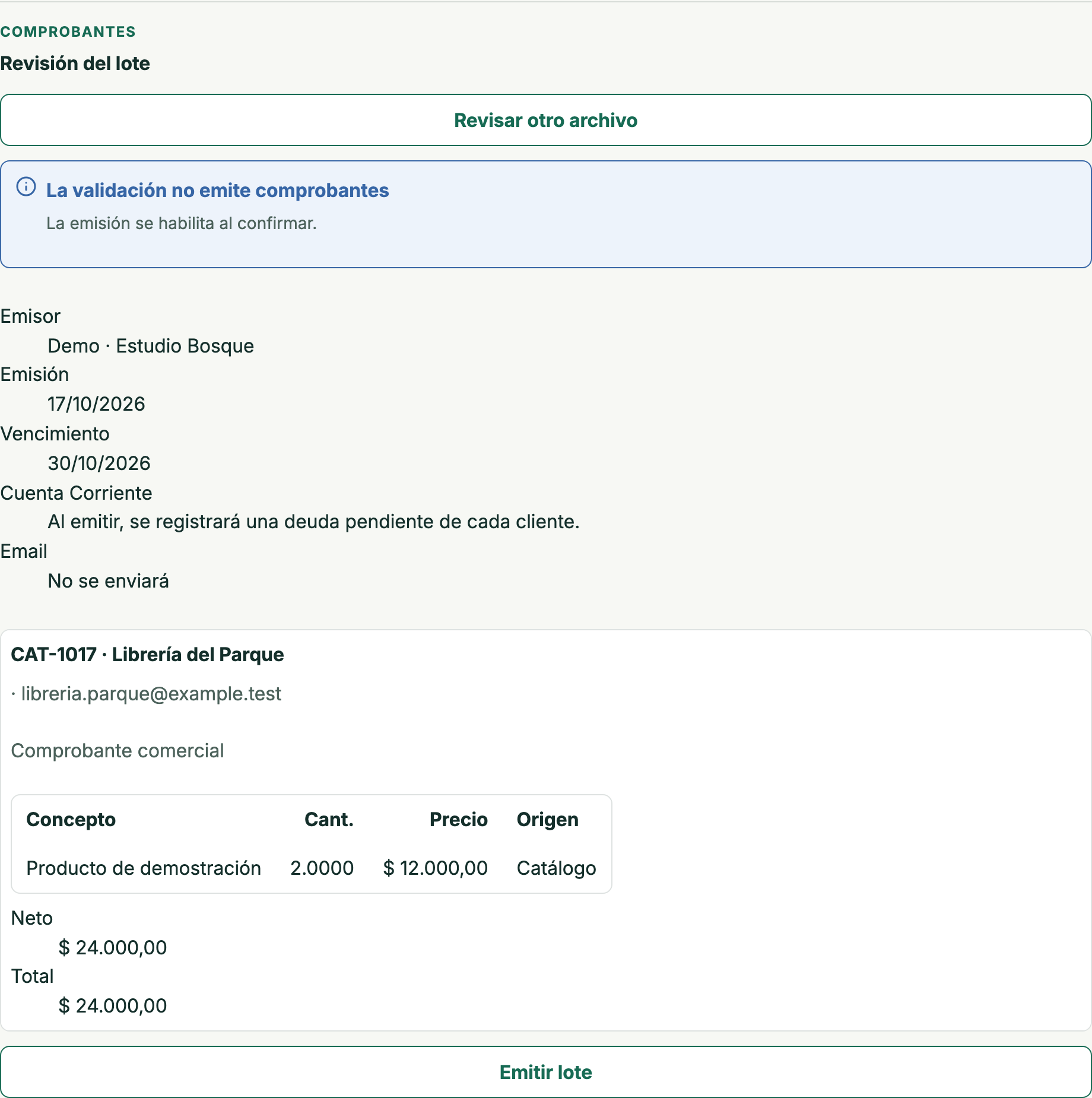
The sample batch reviews one ARS 24,000 invoice for Librería del Parque using an existing customer and catalog item. This review has not issued the document. The product screen and fixed CSV template are in Spanish.
Download the fixed Spanish CSV template and your company’s references.
Fill the file with existing customers and line items and upload it for review.
Check the grouped invoices before confirmation; then inspect each outcome.
Download fixed template (CSV) ↓
Original product template, with Spanish headings and no sample rows. Fill it using your own company’s references.
Review electronic invoicing →Download the template and your company’s references, fill the CSV and check the grouped invoices in the batch review.
Use the Spanish CSV template columns and existing customers and line items.
Check customers, line items, taxes and amounts before confirming the batch.
Inspect each invoice’s issuance and, if selected, its email outcome.
Export the information into Riel’s CSV template, keeping its Spanish columns. Use your company’s references and review the grouped invoices before confirmation: Excel files are not uploaded directly.
Review electronic invoicing →The template uses references to customers and products already saved in your company; uploading does not create them.
No. Invoices are issued on account. Customer payment is recorded separately.
14-calendar-day trial on paid plans, starting when you create your company. No card or automatic charges.