
Explore without registration
See Riel at work
From a sale to a customer payment, and from a purchase to a supplier payment. Watch the product or follow the steps at your own pace.
Two workflows, from start to finish
A customer payment and a supplier payment, from review to result.
Product recording in Spanish, without audio. Descriptive captions are available in Spanish and English.
Sample data from Librería del Parque and Papelera del Río. Each payment is reviewed before confirmation, then its recorded balance is checked. The interface is in Spanish.
You can also follow the steps and their results in the text on this page.
The video could not play. You can follow the text steps or open the video file.
What happens in the video
Sales and customer payments: the ARS 120,000 sale to Librería del Parque is opened, an ARS 45,000 payment is prepared and reviewed before confirmation, and the recorded ARS 75,000 balance is checked.
Purchases and supplier payments: the ARS 80,000 purchase from Papelera del Río is opened, an ARS 30,000 payment is prepared and reviewed before confirmation, and the recorded ARS 50,000 balance is checked.
A sale and customer payment, step by step
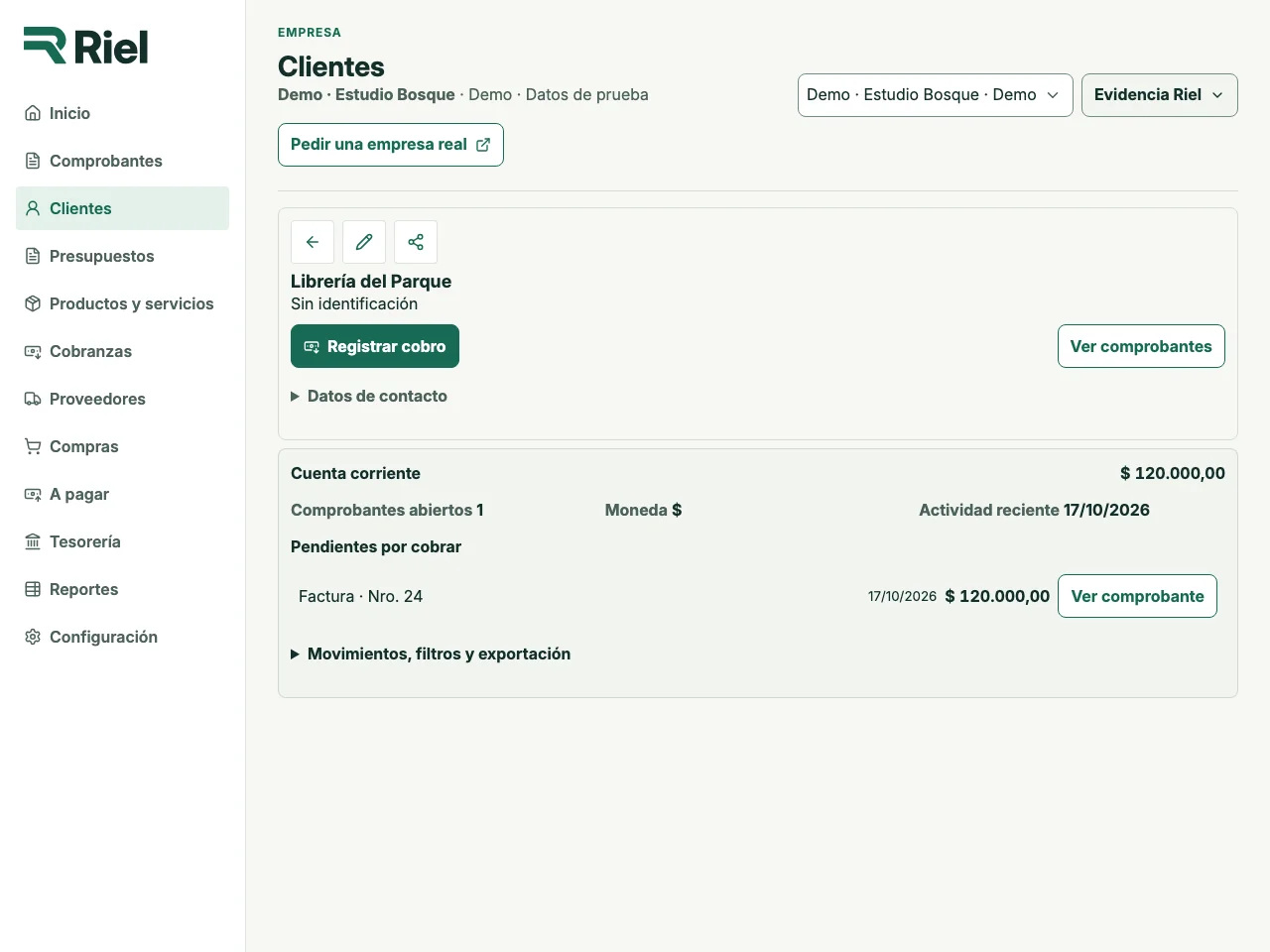
1. An outstanding sale
The original sale to Librería del Parque left Invoice No. 24 open for ARS 120,000. Its original movement remains in the history.
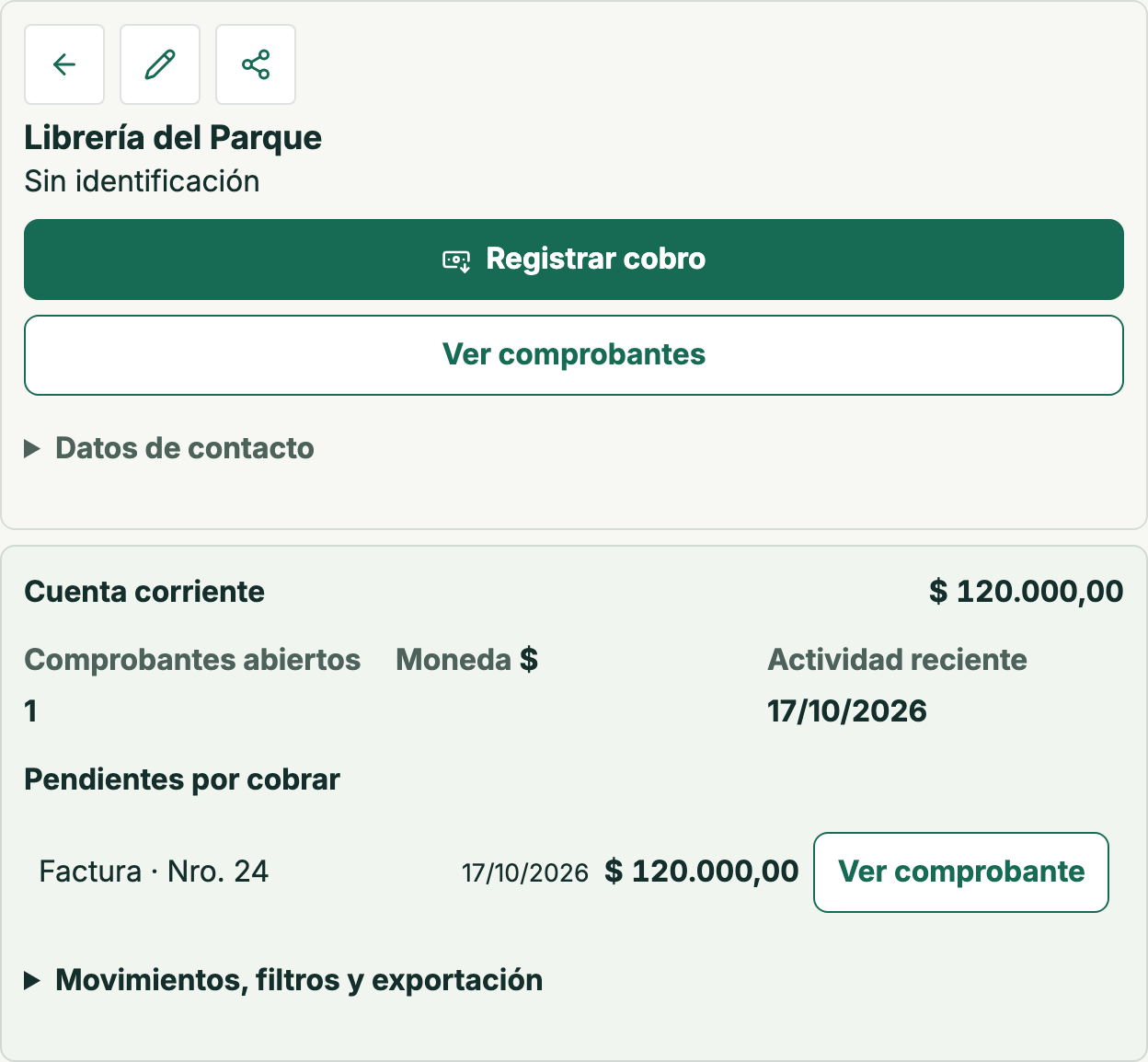
What changes: Recording the sale left the document open for ARS 120,000: this is the state before the partial payment in this tour.
2. Review a partial payment
An ARS 45,000 payment is prepared and allocated to the same invoice. Riel shows the previous balance and expected ARS 75,000 balance for review before confirmation.
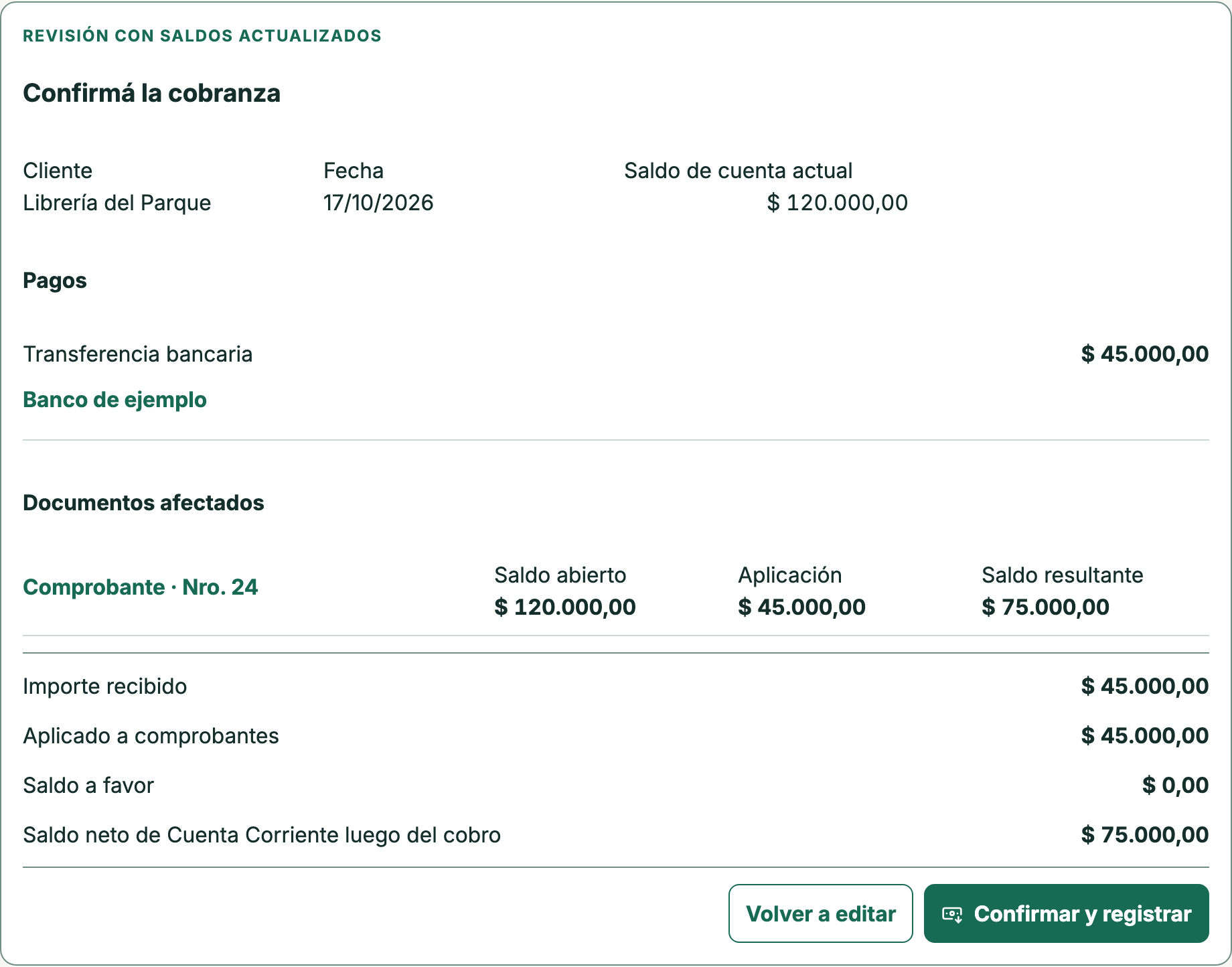
What changes: ARS 120,000 − ARS 45,000 = ARS 75,000. This is a review: the payment has not been saved on this screen.
3. Check the updated balance
After confirming and recording the payment in the sample company, the same customer account is opened again. The saved movement and updated balance let you verify the outcome.
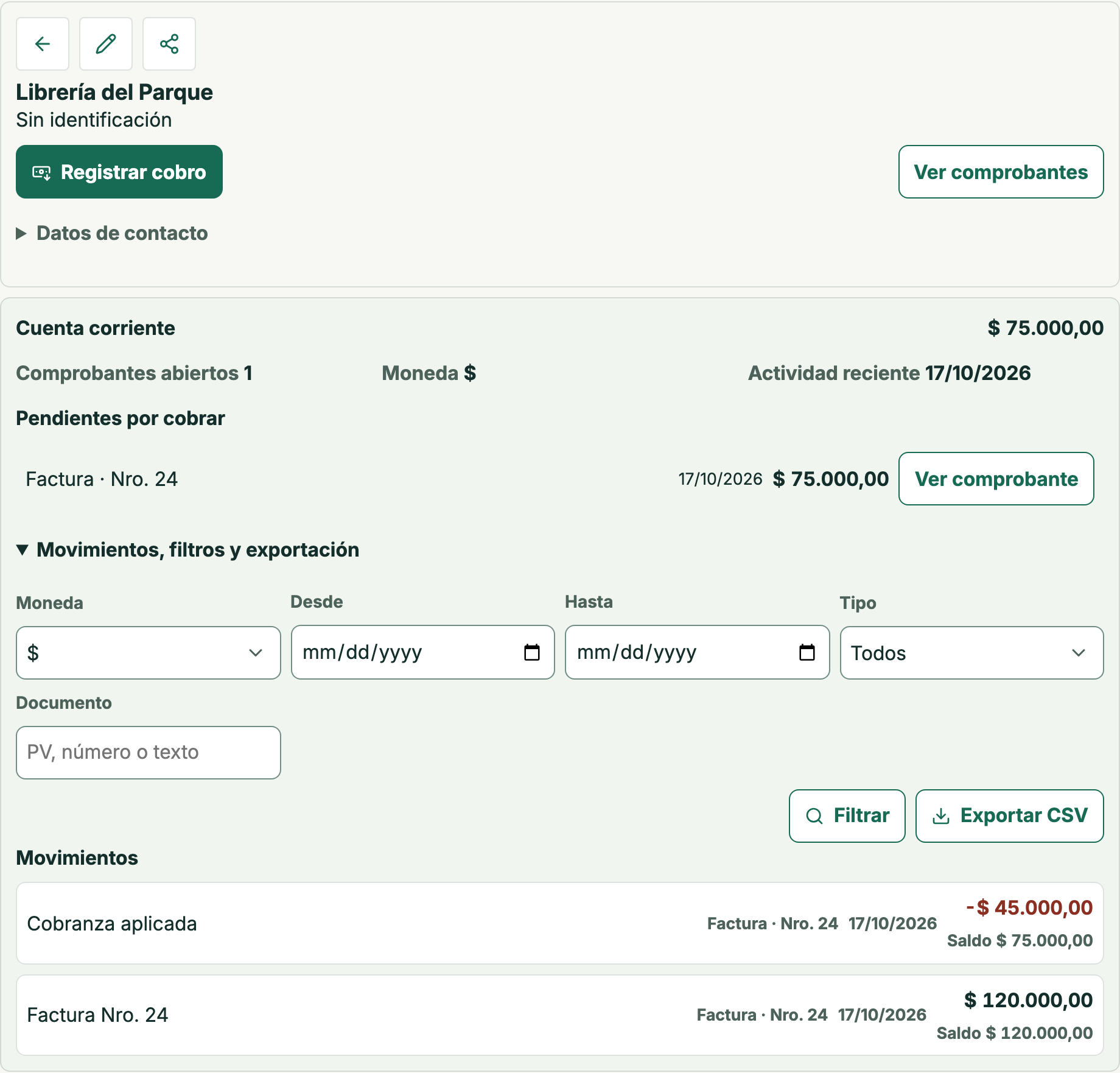
What changes: The ARS 45,000 payment is recorded and ARS 75,000 remains outstanding. The saved result matches the earlier review.
The sale, payment and balance stay connected
The document keeps its identity throughout the operation. You can distinguish the original balance, the review and the recorded result without confusing a preview with a saved payment.
Try the next step in the demo
The demo uses sample data and has no time limit. Request a separate account to work with your own business.